
ModsTune – AI Car Designer
Mara Apps DevelopmentArt & Design
4.4156.00 Reviews
- Version
- 1.0.2
- Installs
- 500.00K
- Age Rating
- Everyone
Screenshots
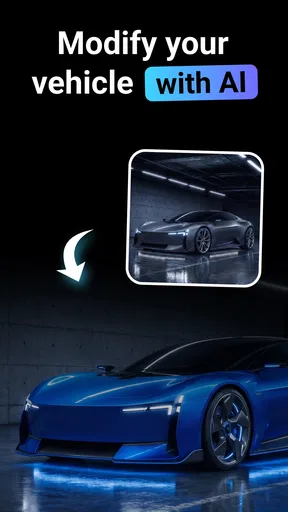
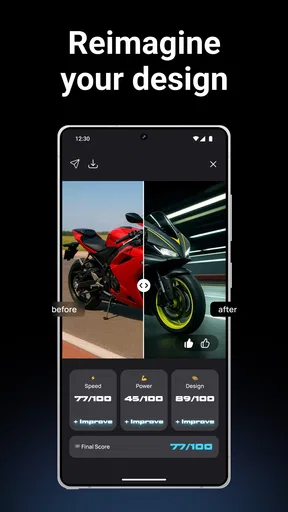
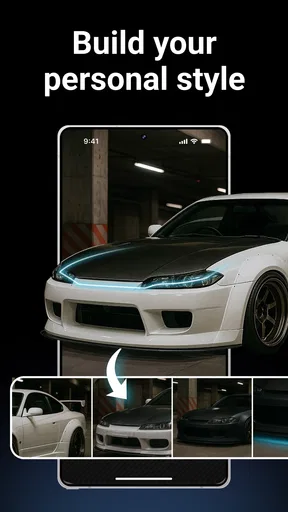
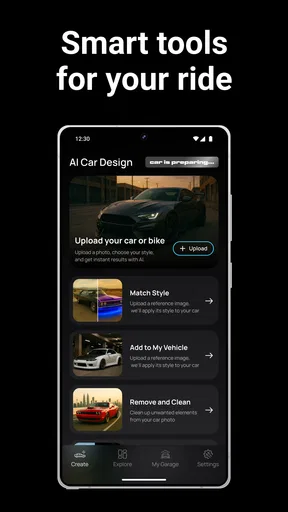
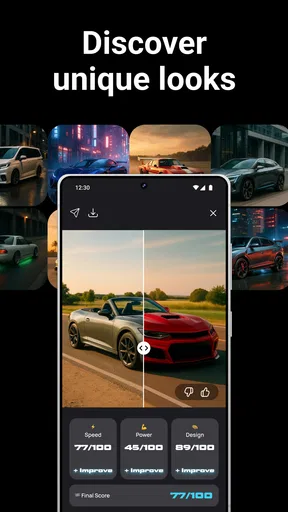
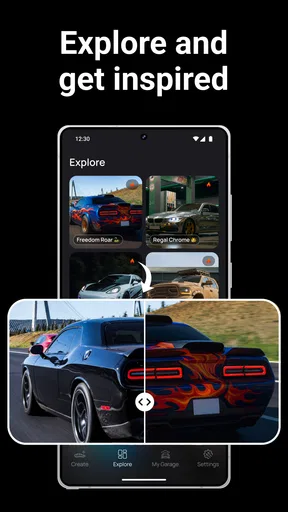
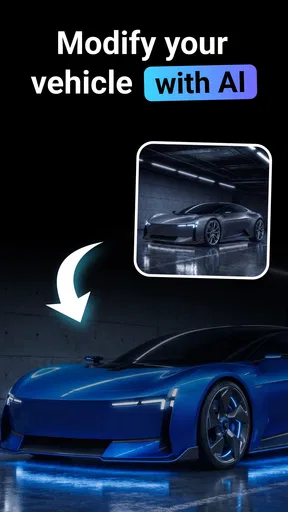
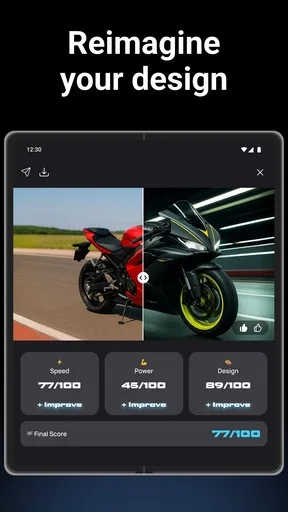
Our Review of ModsTune – AI Car Designer
 Analysis by Appyee
When I first opened ModsTune – AI Car Designer, I approached it as a quick creative tool rather than a full vehicle simulator. That is the right mindset. This free Art & Design app from Mara Apps Development is built around customizing cars and motorcycles, so its appeal is visual: it gives you a place to explore different looks and turn a familiar vehicle idea into something more personal.
I found the concept easy to understand, especially for a first-time user who wants to experiment without learning professional design software. You do not need to know how to model a car, draw body panels, or understand mechanical engineering to get value from it. The useful question is simply, “What would I change about this vehicle?” From there, the app works best as a low-pressure sketching and inspiration companion.
The store identifies it as ModsTune, while the fuller app name is ModsTune – AI Car Designer. It is available at no upfront cost, carries an Everyone age rating, and requires Android 7.0 or later. Its current version is 1.0.2, and the app has already passed fifty thousand installs with an average rating of 4.7 from about 3.1 thousand ratings. Those figures suggest that the basic idea is connecting with a sizeable group of people, although the experience still feels more focused than the broad range of a general-purpose image editor.
What the first session feels like
The most important thing to understand before installing it is that this is not a replacement for a professional CAD package, a racing game, or a workshop management tool. I would use it to explore styling directions, compare visual ideas, or create a more imaginative version of a car or motorcycle. If your goal is to calculate suspension geometry, check whether a modification will physically fit, or order compatible parts, this is not the right category of app.
That limitation is not necessarily a weakness. In my experience, many design tools become frustrating because they expect users to make technical decisions before they have even found an idea they like. ModsTune is more approachable when you treat it as the visual stage that comes before detailed planning. It can help you decide whether a darker finish, a more aggressive appearance, or a different overall direction feels right before you spend time researching real-world parts.
The app is also a better match for people who enjoy vehicles as a form of self-expression. A first-time user can open it with a simple goal, such as imagining a cleaner daily driver or a more dramatic motorcycle style. Someone who wants exact manufacturer specifications or a catalog of verified aftermarket components should look toward a specialist automotive reference instead. The distinction matters because an attractive concept is not automatically a practical modification plan.
I particularly like the way this kind of tool can fit into a short everyday session. Imagine sitting with a friend before buying a used car. Instead of describing a possible makeover with vague words, you can use a visual concept to discuss the direction: understated, sporty, retro-inspired, or highly customized. Even if the final result remains an idea, the conversation becomes much clearer.
Getting started without overthinking the setup
Installation is straightforward for compatible Android devices. Because the minimum operating system is Android 7.0, the app is accessible on a wide range of phones, although the smoothness of any visual experience will naturally depend on the device you use. I recommend beginning with a stable connection and enough attention to explore the interface rather than rushing directly into a polished result.
The app is free to install, but it includes optional in-app purchases priced from $9.99 to $29.99 per item. That is worth keeping in mind before you become invested in a particular creative workflow. I would first test the free experience and decide whether it genuinely helps you create ideas. There is no reason to pay simply because a design app looks promising at first glance.
My preferred setup is deliberately simple. I start with one vehicle concept and one visual goal. For example, I might decide that I want a more refined street look rather than trying to change every possible aspect at once. This keeps the first session manageable and makes it easier to judge whether the app is helping me think visually.
A useful habit is to pause after each meaningful change and ask what it actually improved. A darker color may make the vehicle feel more serious, but it can also hide details. A more dramatic treatment may look exciting in isolation while losing the everyday character you wanted. Thinking in terms of a single design question prevents the session from turning into random tapping.
Reaching the first meaningful result
For a first success, I would not aim for a perfect final build. I would aim for a clear before-and-after idea. Choose a vehicle direction, make a small group of related changes, and then review the overall impression. The result is meaningful when you can explain what changed and why, not merely when the image looks busy.
One of the most useful workflows is to create separate concepts around different purposes. For a daily car, I might explore a restrained appearance that still feels believable on the road. For a weekend project, I could push the styling further. For a motorcycle, I would think more about the relationship between the silhouette and the personality I want the machine to express. Keeping these intentions separate produces better decisions than mixing every style into one design.
Another practical tip is to use the app as a conversation starter rather than a final authority. If you are discussing a vehicle with a mechanic, builder, or experienced owner, a visual concept can communicate your taste quickly. At the same time, I would verify every real-world modification separately. The app can help answer “Do I like this direction?” but it should not be treated as proof that a part is compatible, legal, safe, or mechanically sensible.
This is where the app’s creative value becomes more apparent. Traditional drawing apps give you a blank canvas, which is flexible but demanding. Automotive games may let you customize vehicles, but they usually place the emphasis on progression, competition, or driving. ModsTune sits closer to visual ideation. It is useful when the design itself is the activity and you want to think about the vehicle before worrying about performance.
Where new users may hesitate
The word “AI” can create expectations that the app will understand any request perfectly or produce a finished professional concept immediately. I would avoid approaching it with that assumption. Creative tools often need direction, and the quality of the result depends on how clearly you define the look you are pursuing. If your first attempt feels generic, that does not necessarily mean the app has failed; it may mean the idea needs a narrower brief.
I find it helpful to describe a design using a few connected qualities instead of a long list of unrelated changes. “Clean, understated, and modern” gives a more coherent direction than asking for something luxurious, rugged, futuristic, vintage, and track-focused at the same time. This is a small but important difference for beginners because it turns experimentation into a repeatable process.
Another point of confusion is the boundary between visual editing and real customization. A concept may look convincing while ignoring practical concerns such as visibility, clearance, lighting rules, structural integrity, or local regulations. I would never use an image from the app as the sole basis for purchasing parts or making a safety-related decision. The best workflow is to use the design as a reference, then consult reliable technical sources for anything you intend to build.
There can also be a temptation to keep adding changes because each individual adjustment feels interesting. I have found that restraint usually produces a stronger result. Pick one dominant idea and let the other choices support it. If the main theme is a clean commuter car, excessive visual additions can work against it. If the theme is a bold showpiece, timid details may make the result feel unfinished.
Using it for real everyday decisions
One realistic scenario is choosing between several directions for a vehicle you already own. Perhaps you are considering a new color treatment, a different visual attitude, or a more distinctive motorcycle appearance. Rather than browsing hundreds of unrelated images, you can use ModsTune to narrow your thinking. I would make one concept that stays close to the original identity and another that takes a more adventurous path. Comparing those two extremes often reveals which changes actually matter to you.
It can also help someone who struggles to explain a preference. Saying “I want it to look sportier” is subjective. A visual concept makes the conversation more concrete, even if it is only an early approximation. This can save time when discussing possibilities with friends or when preparing questions for a professional who will handle the real work.
For students and hobbyists, the app offers a gentle way to practice visual decision-making. You can focus on balance, contrast, and overall character without first mastering a complicated drawing program. I would encourage beginners to save their strongest ideas in a small personal collection, if the app’s available workflow supports that, and then compare them after a few sessions. The goal is to notice patterns in your taste rather than chase a single perfect image.
There is a less obvious benefit for people who are shopping for a vehicle. Instead of asking only whether a car or motorcycle looks good in its stock form, you can think about whether its basic shape supports the style you want. If your preferred concept requires changing the vehicle’s entire identity, that may be a sign that another starting point would suit you better. This makes the app useful before a purchase, not just after one.
How it compares with familiar alternatives
Compared with a general image editor, ModsTune has a clearer automotive purpose. A general editor may offer more control over layers, brushes, masking, and detailed retouching, but it also makes you build the workflow yourself. ModsTune is more appealing when you want to stay focused on cars and motorcycles rather than assemble a design process from scratch.
Compared with a professional three-dimensional modeling application, it is much easier to approach but far less suitable for engineering-level work. A modeling package can provide measurable forms and detailed construction, while this app is better for visual exploration. I would choose the professional option when dimensions, fit, materials, or production accuracy matter. I would choose ModsTune when I am still deciding what I want the vehicle to feel like.
Compared with customization systems inside racing games, the emphasis is different. Games often reward you for unlocking parts, improving performance, or competing with the result. Here, the appeal is the design conversation itself. If you want speed, progression, and driving, a racing game will probably keep you engaged longer. If you want to test a visual direction without turning it into a competition, this app makes more sense.
Compared with browsing social media or image boards, the advantage is intention. Browsing can provide inspiration, but it can also lead to endless scrolling and copying someone else’s taste. Creating your own concept forces you to make choices. The trade-off is that a social platform may offer a broader range of finished examples and real-world references, while ModsTune is more useful for shaping your personal starting point.
Who will appreciate it most
I would recommend it to a first-time designer, a car enthusiast who enjoys visual customization, a motorcycle fan exploring a new identity for a bike, or anyone preparing to discuss a project with another person. It is especially approachable if you want a quick creative session instead of a technical course.
I would be more cautious about recommending it to a professional designer who needs precise control, a builder who requires accurate measurements, or a buyer looking for confirmed information about parts and compatibility. Those users need tools and references that answer technical questions directly. ModsTune can still contribute at the early inspiration stage, but it should not be the only tool in their workflow.
The optional purchase range also means I would judge the app by its free experience first. If you only want occasional inspiration, the free access may be enough for your needs. If you plan to use it regularly, consider whether the available paid items provide a meaningful improvement to your personal process rather than buying on impulse. That is a sensible approach with any creative app that mixes free access and paid additions.
My practical routine for better results
My recommended routine has three passes. In the first pass, I define the purpose of the vehicle and make only the most obvious change. In the second, I look for supporting details that strengthen that direction instead of competing with it. In the third, I remove anything that feels decorative but does not serve the idea. This is more effective than making dozens of changes and hoping the final image somehow becomes coherent.
I also recommend comparing concepts under the same intention. Do not compare a subtle daily-driver design with an extreme show-style concept and then ask which one is “better.” Ask which one better answers the question you started with. This makes the app more useful for decisions and less like a random collection of visual experiments.
When sharing a concept with someone else, explain the goal in one sentence. For example, say that you are exploring a cleaner look for everyday use or a more expressive direction for a weekend motorcycle. That context helps the other person respond to the design rather than judging it only as a picture.
Finally, keep the boundary between imagination and implementation visible. Before making a real change, check fitment, safety, local requirements, and professional advice. The app can inspire a project, but responsible execution belongs to the real world.
My closing recommendation
After using ModsTune – AI Car Designer as a focused visual tool, I see its strongest quality in its accessibility. It gives beginners a way to explore vehicle style without starting with a blank professional canvas or being distracted by game mechanics. The free entry point makes it easy to test, and the Everyone rating makes it suitable for a broad audience.
Its main limitation is also clear: visual inspiration is not the same as technical planning. Users who understand that distinction will get much more from it. I would use it to clarify taste, compare directions, prepare a conversation, or enjoy a short design session. I would not use it to confirm whether a modification is safe or physically possible.
For someone asking whether it is worth trying, my answer is yes if your first goal is to imagine a better-looking car or motorcycle and turn a vague idea into something visible. Start with one vehicle, one purpose, and a small number of connected changes. If that process helps you make decisions you could not make by simply browsing pictures, the app has earned a place in your creative toolkit.
My recommendation is to treat ModsTune as the beginning of a customization idea, not the final technical word. Used that way, it is approachable, enjoyable, and genuinely useful for finding the visual direction that feels most like yours.
Privacy and Permissions
See what permissions an app requests and how it handles your data.
- Camera
- take pictures and videos
- Other
- view network connections, full network access, run at startup, prevent device from sleeping, Google Play license check, read Google service configuration
Verdict
Strengths of ModsTune – AI Car Designer
- Quickly generates creative car concepts from simple text prompts.
- Useful for exploring custom paint, body kits, wheels, and styling ideas.
- Visual results can inspire real-world builds or design projects.
- Easy to experiment with multiple automotive styles and themes.
- Helpful for sharing personalized concept ideas with other car fans.
Limitations of ModsTune – AI Car Designer
- AI results may include unrealistic proportions or impractical vehicle details.
- Some features or generations may require in-app purchases or limits.
- Output quality can vary depending on the prompt and selected style.
- Generated designs may not accurately reflect real parts or fitting options.
- Privacy terms should be checked before uploading personal vehicle photos.
Similar Picks in This Category
View All
Canva: AI Photo & Video Editor
Canva4.8

PENUP – Drawing-sharing SNS
Samsung Electronics Co., Ltd.4.5

Crafto
Kutumb App4.6

Sketchbook
Sketchbook4.1

ibis Paint X
ibis inc.4.5

Adobe Express: AI Photo, Video
Adobe4.6
Frequently Asked Questions
What is ModsTune – AI Car Designer?
ModsTune – AI Car Designer is an AI-powered customization app designed for car enthusiasts who want to visualize new styling ideas. You can use it to experiment with different vehicle appearances, including body colors, wheels, body kits, lighting, and other exterior details. It is mainly a design and inspiration tool, so the generated concepts should not be considered exact previews of real-world modifications or guaranteed installation results.
How does the AI car design feature work in ModsTune?
The app generally works by allowing you to provide a vehicle image or choose a design starting point, then describe or select the changes you want to see. Its AI processes the request and generates a modified version of the car image. Results can vary depending on the photo quality, lighting, angle, and clarity of your instructions. Some designs may look highly realistic, while others can contain visual imperfections or inaccurate vehicle details.
Is ModsTune – AI Car Designer free to use?
ModsTune may offer free access to selected features, but advanced AI generations, premium styles, higher-quality results, or unlimited usage can depend on the current subscription and credit system. Before creating multiple designs, check the app’s pricing page and the purchase conditions shown through Google Play or the App Store. Also review whether a trial automatically changes into a paid subscription after the trial period ends.
Can I use ModsTune designs to plan real car modifications?
You can use the generated images as visual references when discussing ideas with a professional workshop, body shop, or automotive designer. However, the app cannot confirm whether a particular bumper, wheel size, suspension setup, paint finish, or lighting conversion will fit your vehicle or comply with local regulations. Always verify measurements, compatibility, safety requirements, insurance implications, and road-legal standards before carrying out any modification.
What should I know about privacy when uploading car photos?
Before uploading images, review ModsTune’s privacy policy and the permissions requested by the application. Photos may be processed on remote servers to generate AI results, and the handling of uploaded images can depend on the provider’s retention and data-sharing practices. Avoid including personal information, license plates, addresses, or identifiable people in your pictures unless you understand how that data is stored and used.
